ezyConneqt | Scan Leads Instantly On Your Phone | No App Store Needed
Step 1 of 6

Sign in to get started

Securely log in to your account and access your dashboard instantly.
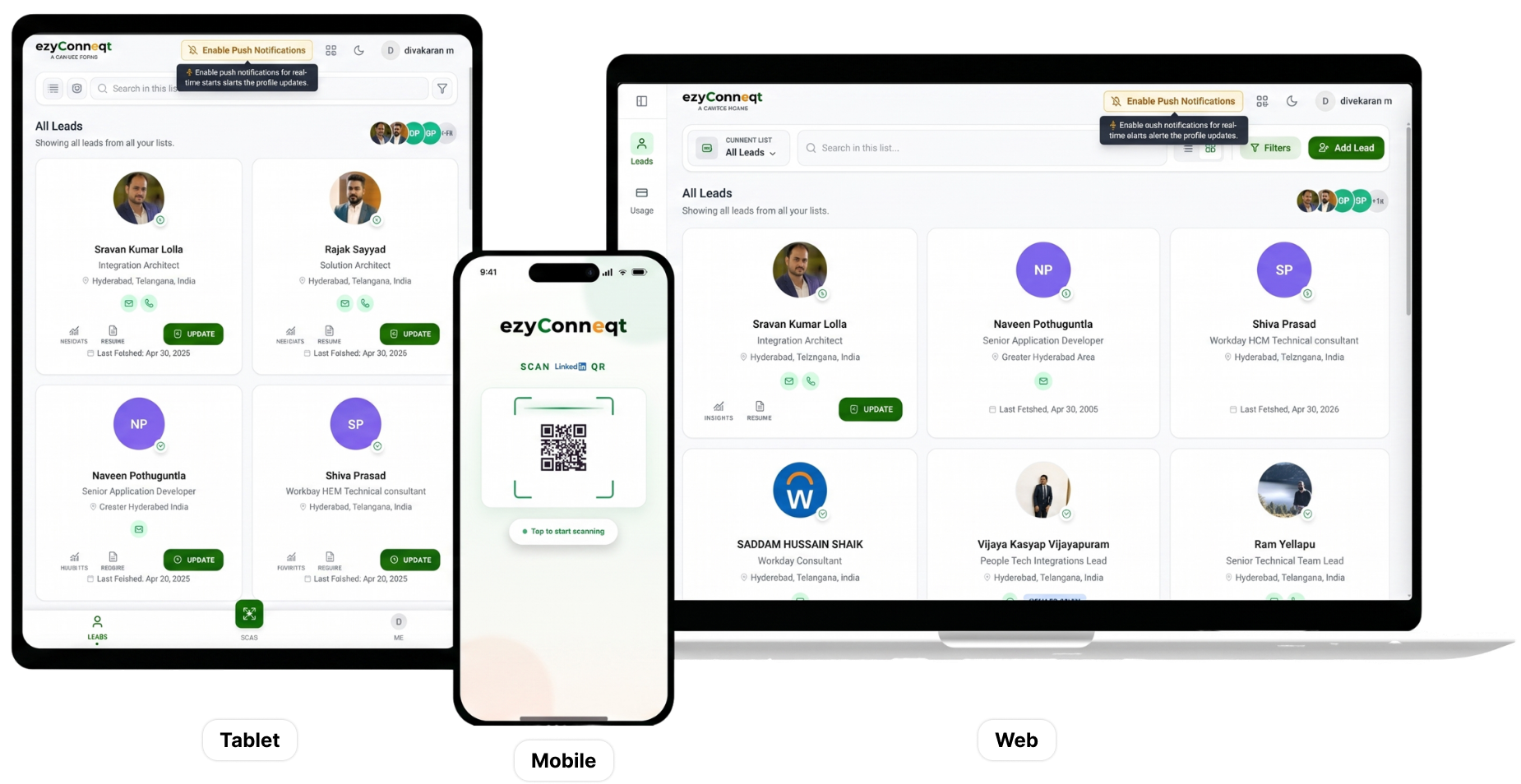
9:41
ezyConneqt
Scan social media QR
QR
Tap to start scanning
Hi, Rambo 👋
Ready to capture some leads?
RB
128
Leads
42
This week
99%
Enriched
Recent Leads View all →
SK
Sarah Kim
VP Sales · TechFlow
Sent
MR
Marcus Rodriguez
CMO · CloudStack
Warm
JP
James Park
Founder · StartupLab
Sent
Tap to scan
Scan QR Code
Social media QR
Profile detected
Point camera at any social media QR
Enriching profile…
JS
John Smith
VP Sales · TechCorp
San Francisco, CA
Processing
Finding verified email
Locating phone & WhatsApp
Building lead insights
Enrichment complete · 99% confidence
John Smith
JS
John Smith
VP Sales · TechCorp
San Francisco · 8.2k connections
Contacts
Contact Details
Profile Details
Email Addresses
john.s@techcorp.com
Phone Numbers
+1 (415) 555-2280
Lead Insights AI
Buyer intent: high 9.2/10
Best to reach: 10am PT Morning
Decision maker VP+
10X
More leads
10X
Faster
100%
Auto follow-up
99%
Enriched
10X
More leads captured at events
10X
Faster lead collection
100%
Automated follow-up
99%
Enriched contact data
How it works

Simple process

Scan, connect, and email. All automatic.

1
Step 1
Scan the Professional QR Code
Point your phone at someone's professional QR code and capture their details instantly. No typing required.
2
Step 2
Get Verified Contact Details
Receive phone numbers, personal emails, work emails, WhatsApp contacts, enriched profile data, and prospect insights instantly.
3
Step 3
Auto Connection Request
EzyConneqt automatically sends a connection request while the conversation is still fresh, helping you stay top of mind.
4
Step 4
Email Outreach
Automated follow-up emails are sent from your account, helping you maintain momentum and nurture conversations after the event.
App features

Everything you need to convert every connection

Instant contact capture
One scan gets you their phone, email, work contact, and everything you need—instantly.
Email discovery
Get verified personal and work emails instantly. Real addresses. Real inbox access.
Direct Phone & WhatsApp
Get verified phone numbers and WhatsApp contacts directly from professional profile data.
Auto Connection Requests
Connection requests sent automatically to every prospect you meet. Grow your network while you focus on selling.
Instant outreach
Follow-up email sent immediately after you meet. Reach out while the conversation is still fresh.
Automated follow-ups
Follow-up emails sent automatically from your account to every lead. Consistent outreach, zero manual work.
Centralized lead hub
All your leads organized in one place. Access contact details and follow-up status instantly.
Works offline, syncs later
Scan at any event, any venue, zero WiFi needed. Everything syncs when you're back online.
Built for live events
Handle high-volume lead capture at any event. Scan dozens of people. Auto follow-up to all.
Installation

Set up in under 30 seconds

Choose your phone type below and follow the step by step visual guide.
Safari
1
Open Safari and go to app.ezyconneqt.com
Launch Safari on your iPhone and enter the app URL to get started.
2
Tap Share → Add to Home Screen
Tap the Share icon, scroll down, select "Add to Home Screen," then tap "Add" in the top right.
3
Open & Scan
Tap the new icon on your home screen. The app opens in full screen and is ready for your first scan.
User reviews

What users say

★★★★★
"Used this at an event last week. Scanned like 80–90 people without even thinking about it. The follow-up emails going out automatically was the best part honestly."
MR
Marcus Rodriguez
VP Sales, CloudStack
★★★★★
"Didn't expect it to work this smoothly. Just opened it and started using it. Pretty useful when you're meeting a lot of people back to back."
SK
Sarah Kim
Head of BD, TechFlow
★★★★★
"I usually forget to follow up after events. This basically takes care of that. Also got numbers and emails without asking which is nice."
JP
James Park
Founder, StartupLab
Got questions?

Frequently asked
questions

What's a PWA and why is it better?+

A PWA (Progressive Web App) is a website that works like a native app. You add it to your home screen without going through an app store. Benefits: instant setup (30 seconds vs 5 minutes), auto-updates, near-zero storage, works on all devices from one link, and identical user experience to native apps.

How accurate is the data enrichment?+

We maintain a 95%+ enrichment success rate. We cross-reference multiple data sources to find verified emails, phone numbers, and company information. For premium users, we offer manual verification for mission-critical leads.

Does it work offline at events?+

Yes! You can scan QR codes without internet. The app caches your scans and automatically syncs them when you're back online. Perfect for convention centers with spotty WiFi.

Which CRMs do you integrate with?+

We currently offer native integration with HubSpot. You can also export your leads as Excel files to use with any CRM. For advanced needs, we provide custom API integrations on Enterprise plans.

How much does it cost?+

$49/month for 500 scans with data enrichment, or $129/month for unlimited scans + team features. Enterprise pricing available for large teams.

Is my data secure and private?+

Absolutely. All data is encrypted in transit and at rest. We're SOC 2 Type II certified and GDPR compliant. We never sell your data or use it for advertising. You own your leads and you can export or delete them anytime.

Get the app
Scan with your phone camera
QR code for app.ezyconneqt.com