If your applications vanish into a black hole, you are not alone. Most employers use Applicant Tracking Systems to scan, index, and rank resumes before a human ever opens them. The fix is not guesswork. With the right structure and the right tool you can make your resume readable, relevant, and ready to rank. This guide explains exactly why ATS miss resumes and how to repair yours fast using an AI Resume Builder that also acts as an ATS Friendly Resume Builder and Free Resume Builder Online. Follow these steps and your Resume Maker will turn your LinkedIn profile into an ATS ready resume in minutes.
What it means when an ATS does not pick up your resume
When an ATS “misses” your resume it usually falls into one of three buckets:
- The system could not parse parts of the file because layout, fonts, tables, or images blocked it.
- The content lacked the right keywords or context to match the job.
- The document structure did not map to standard sections like Experience, Skills, and Education.
An ATS Friendly Resume Builder solves these technical and content barriers automatically. Resume360.ai, an AI Resume Builder and Free Resume Builder Online, is built to do exactly that with clean layouts, correct headings, and keyword suggestions from your LinkedIn data.
Nine common reasons ATS ignores resumes and the fast fix
Use this list to spot issues quickly and see how an AI Resume Builder and Resume Maker removes them in one pass.
1. Nonstandard file type
Problem: Graphic heavy PDFs or files exported from design tools become unreadable.
Fast fix: Export DOCX or a parser friendly PDF from a Resume Maker that preserves text layers. Resume360.ai offers one click ATS safe DOCX and PDF exports tested on major systems.
2. Contact info hidden in headers and footers
Problem: Some parsers skip header and footer zones entirely.
Fast fix: Keep contact info in the main body. Resume360.ai templates place your name, email, phone, city or region, and portfolio link where ATS always sees them.
3. Multiple columns, tables, and text boxes
Problem: Columns and tables jumble reading order and break parsing.
Fast fix: Use a single column, simple bullets, and standard spacing. A true ATS Friendly Resume Builder defaults to single column templates.
4. Icons, logos, and images
Problem: ATS cannot read icons and images and will skip the content inside them.
Fast fix: Use plain text bullets and typed skill lists. The Resume Maker flags risky elements and replaces them with text.
5. Nonstandard headings
Problem: Custom labels like Career Journey or Professional Highlights do not map to ATS fields.
Fast fix: Use standard headings: Professional Summary, Work Experience, Skills, Education, Certifications. An AI Resume Builder enforces these labels automatically.
6. Weak or missing keywords
Problem: If your resume does not echo the job description language, it will not rank.
Fast fix: Mirror target keywords in context inside bullets and your summary. The AI Resume Builder helps you paste a job description and suggests exact matches to blend naturally.
7. Responsibility only bullets with no outcomes
Problem: ATS finds words, but humans hire for results. You need both.
Fast fix: Write bullets like verb + result + scope + tools. The Resume Maker rewrites duties into quantified achievements.
8. Inconsistent dates or special characters
Problem: Mixed date formats, Unicode symbols, or emoji can break parsing.
Fast fix: Use MM/YYYY – MM/YYYY, plain hyphens, and standard bullets. An ATS Friendly Resume Builder normalizes dates and characters for you.
9. Overlong or unfocused content
Problem: Irrelevant details dilute keyword density.
Fast fix: Prioritize the last 10 years and role relevant outcomes. The AI Resume Builder compresses older roles and highlights what matters.
Diagnose ATS issues in minutes with an ATS Friendly Resume Builder
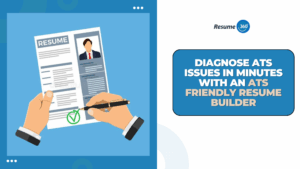
You do not need to guess. Use a Free Resume Builder Online that shows you what the parser reads.
- Upload or build in your Resume Maker.
- Open the ATS preview to see extracted sections, skills, and keywords.
- Fix flags instantly such as heading labels, symbols, and layout.
- Re-scan until the score is high, then export.
This workflow is the fastest way to confirm your resume is truly ATS ready.
The fastest fix: rebuild your resume instantly with Resume360.ai using your LinkedIn
Most resumes fail because people start from scratch or use templates that were never built for ATS. Resume360.ai eliminates that entire struggle. Your LinkedIn profile already holds your dates, titles, skills, and measurable wins. Resume360.ai pulls all that information instantly and turns it into a clean, ATS optimized resume in minutes. This is not just an AI Resume Builder. It is a full ATS Friendly Resume Builder and Resume Maker that automates every single step listed below.
Here is how Resume360.ai streamlines the entire process in a few guided clicks.
Connect LinkedIn
With Resume360.ai you simply log in and connect your LinkedIn profile. The system imports your Experience, Education, Skills, Certifications, and professional highlights automatically. Because the import is structured data, the AI can immediately reorganize it into a perfect ATS friendly resume format without manual typing.
Pick a truly ATS optimized template
Resume360.ai includes professionally engineered templates that are single column, recruiter friendly, and tested across dozens of ATS engines. You can choose Chronological, Hybrid, Skills Forward, Entry One Page, or Executive layouts. Every template has already passed Resume360.ai’s ATS Friendly Resume Builder validation so you never need to wonder which one works.
Match the job description instantly
Paste any job posting inside Resume360.ai. The AI Resume Builder scans it for required skills, tools, action verbs, and context phrases. Then it automatically suggests exact keywords and rewrites sentences so your resume aligns perfectly with what hiring algorithms rank.
Rewrite bullets with AI that understands impact
Instead of generic duties, the Resume Maker transforms every bullet into achievement driven statements. The AI structures each one using verb plus result plus scope plus tools, which is the industry proven formula for higher ATS ranking and stronger recruiter response. Tone settings let you tailor your style to your field, whether that is technical, creative, executive, or analytical.
Run an ATS scan that mirrors real world parsers
Resume360.ai includes a built in ATS preview that shows you exactly what the system reads, line by line. If a heading is off, a keyword is missing, spacing is uneven, or a bullet is unreadable, the scan flags it instantly. You fix issues in seconds and re scan until you have a perfect ATS compatible score.
Export flawlessly clean files
When you click export, Resume360.ai generates ATS safe DOCX or PDF files that preserve every layer of text correctly. These exports are tested on major ATS systems and validated to avoid common parsing failures. Save it as Firstname_Lastname_Resume for a professional finish.
From start to finish Resume360.ai replaces hours of manual formatting with a guided, automated workflow that guarantees ATS compliance and eliminates all the usual rejection traps. This is the fastest and most reliable way to fix your resume and get it seen.
Real world examples of how Resume360.ai fixed ATS issues instantly
The graduate
They used a two-column Word template with skills in a table. ATS never saw half the content. Resume360.ai imported their LinkedIn, moved them to a One Page Entry design, rewrote their projects with quantifiable impact, and exported a parser safe PDF. Result: clean parsing and interviews within two weeks.
The career switcher
Their portfolio link sat inside a header and the heading said My Journey instead of Work Experience. Resume360.ai automatically repositioned the link, corrected the headings, added role specific skills, and restored proper ordering. Result: double the recruiter callbacks.
The technical individual contributor
They used icons for skills and only listed responsibilities. Resume360.ai converted icons into readable lists, rewrote bullets into achievements like cut API latency 35 percent using Redis caching, and boosted keyword matching. Result: higher visibility in technical ATS searches.
Ready to stop disappearing?
If your resume is still getting filtered out, it is not your skills, your experience, or your potential. It is your formatting, structure, and keyword alignment, and Resume360.ai fixes all of that instantly.
Stop wasting opportunities because your resume was not ATS ready.
Stop guessing what hiring systems want.
Stop rewriting the same document for hours.
With Resume360.ai, you can turn your LinkedIn profile into a polished, keyword optimized, ATS friendly resume in minutes; not days.
Click over to Resume360.ai right now and build the resume that finally gets seen, ranked, and selected.
Your next interview is waiting. Go claim it.